Software for buyers agents, built around every client.
Presm brings each client's brief, the properties you present, their contracts, their suburbs and every number into one place your whole team works from, and your clients follow their purchase in their own portal.
Request an invite opens an email to support@presm.com. Good pricing for agencies and 24/7 support, our commitments.


Two commitments to every agency
What your agency gets
What your team has in Presm today, shown on real Presm screens with made up clients.
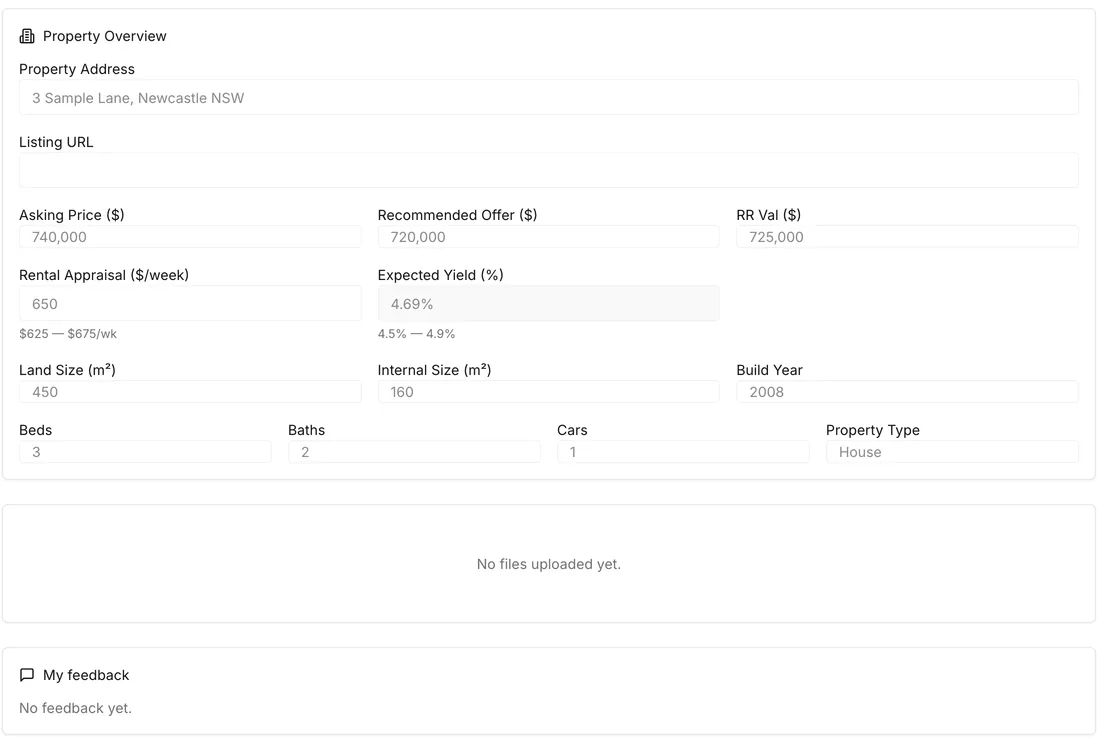
A page for every property you present.
The property, the asking price, your recommended offer, the valuation and the rental appraisal, on one page. Your client reads it, asks a question or approves the offer there, and you see it.
Every client's brief, in one place.
What each client wants, written down once for the whole team: their goal and strategy, how much cash flow and risk they can carry, the property and location, the budget and the timing.
Some of the fields of a Presm client brief
- Primary goal
- Investment strategy priority
- Cash flow tolerance
- Risk profile
- Property type
- Location type
- Max purchase price
- Target contract date
Save a listing from the page you are reading.
The Presm extension for Chrome saves a listing into Presm as you browse, and Presm scores the property as it is saved.
From a listing to Presm
The red flags before your client signs.
Add the contract and about a minute later: the key terms, the risks, red flags with a suggested action for each, and what to negotiate.
See a real review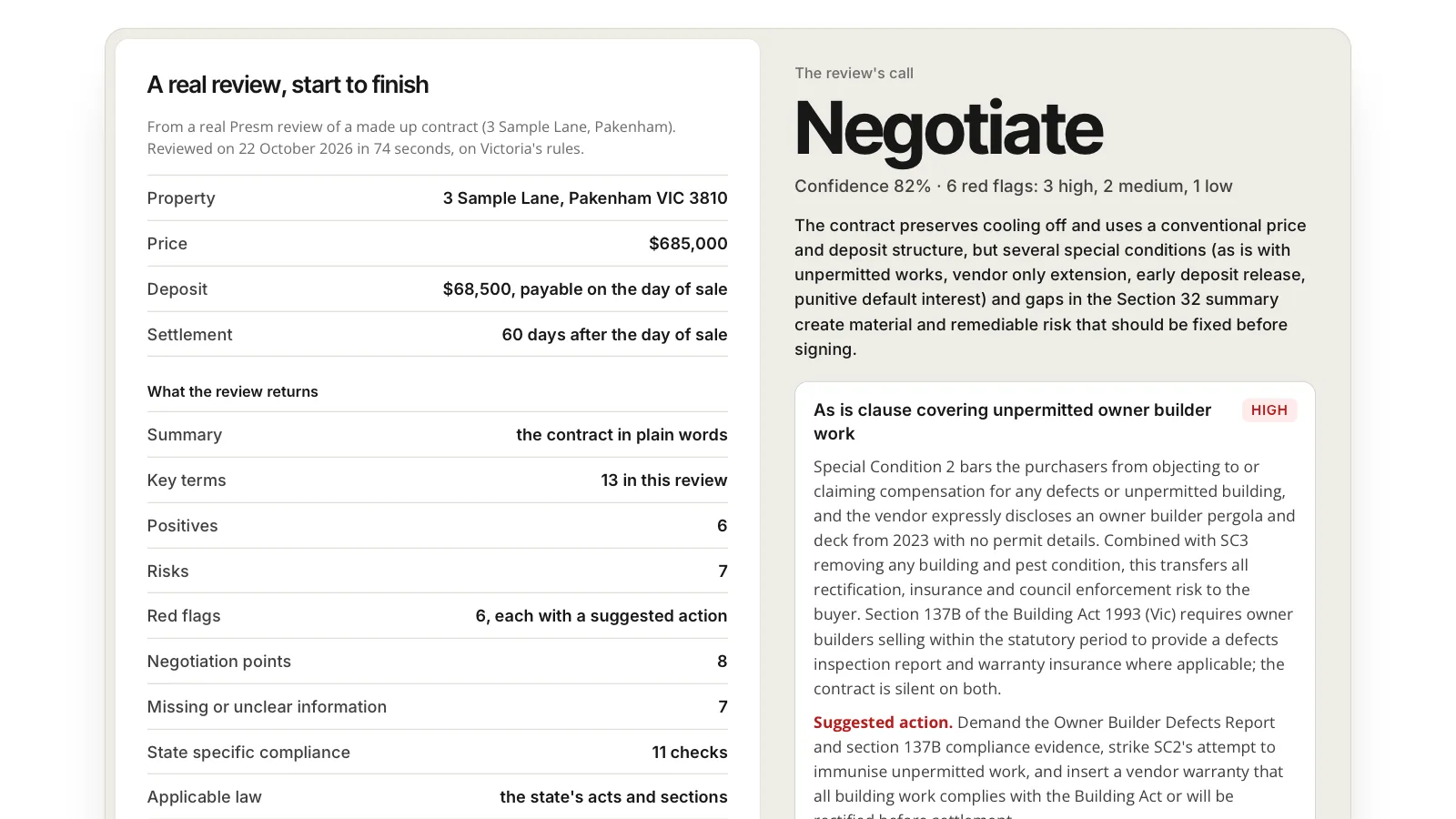
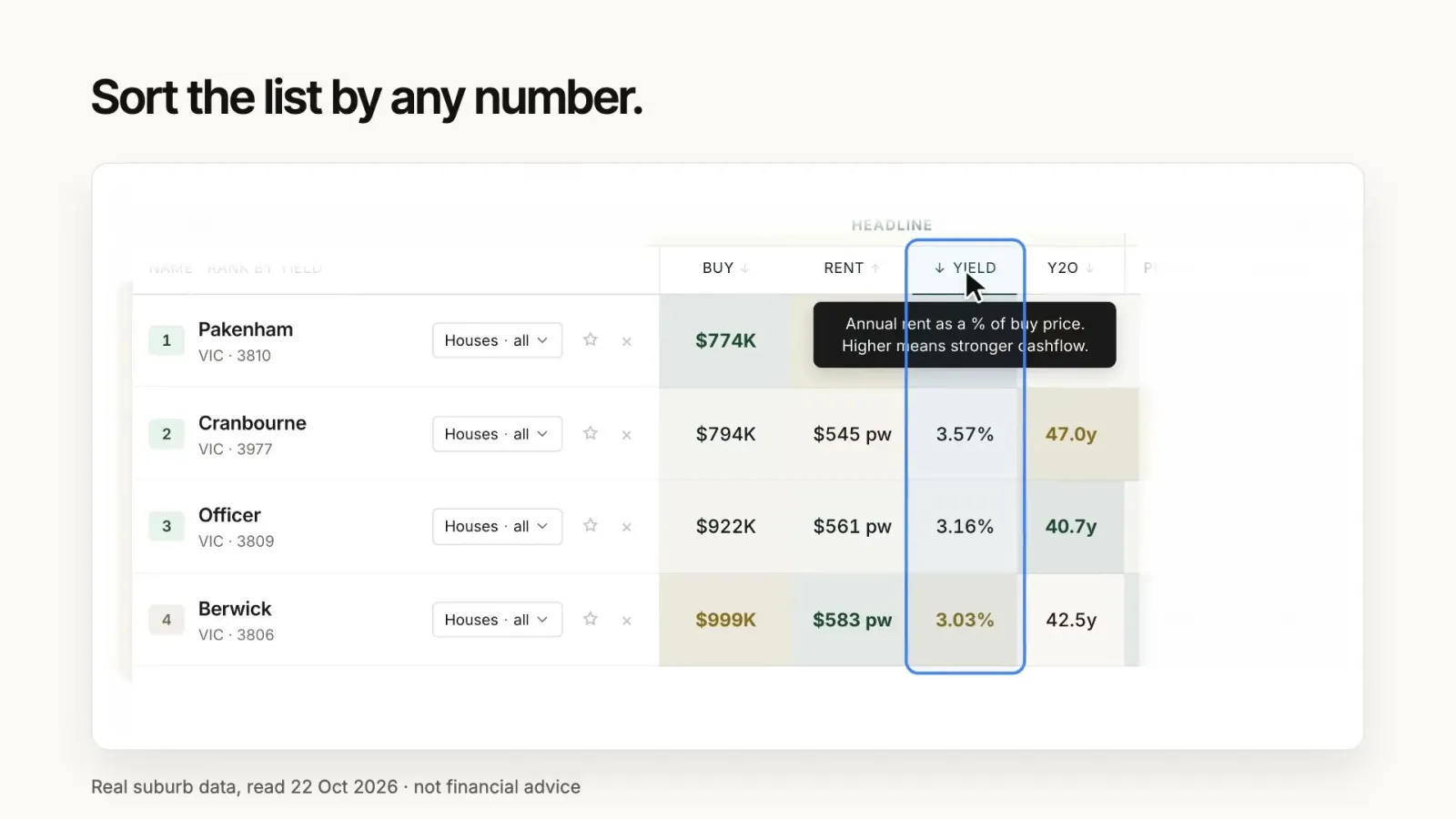
Your client's suburbs, side by side.
Price, rent and yield row by row, sorted by any number, with how fast homes sell and how many sit empty.
The numbers, in the client meeting.
Stamp duty in every state, land tax, LMI, borrowing power, loan repayments and what a rate rise does, on the app's own engines, while your client is in the room.
All calculators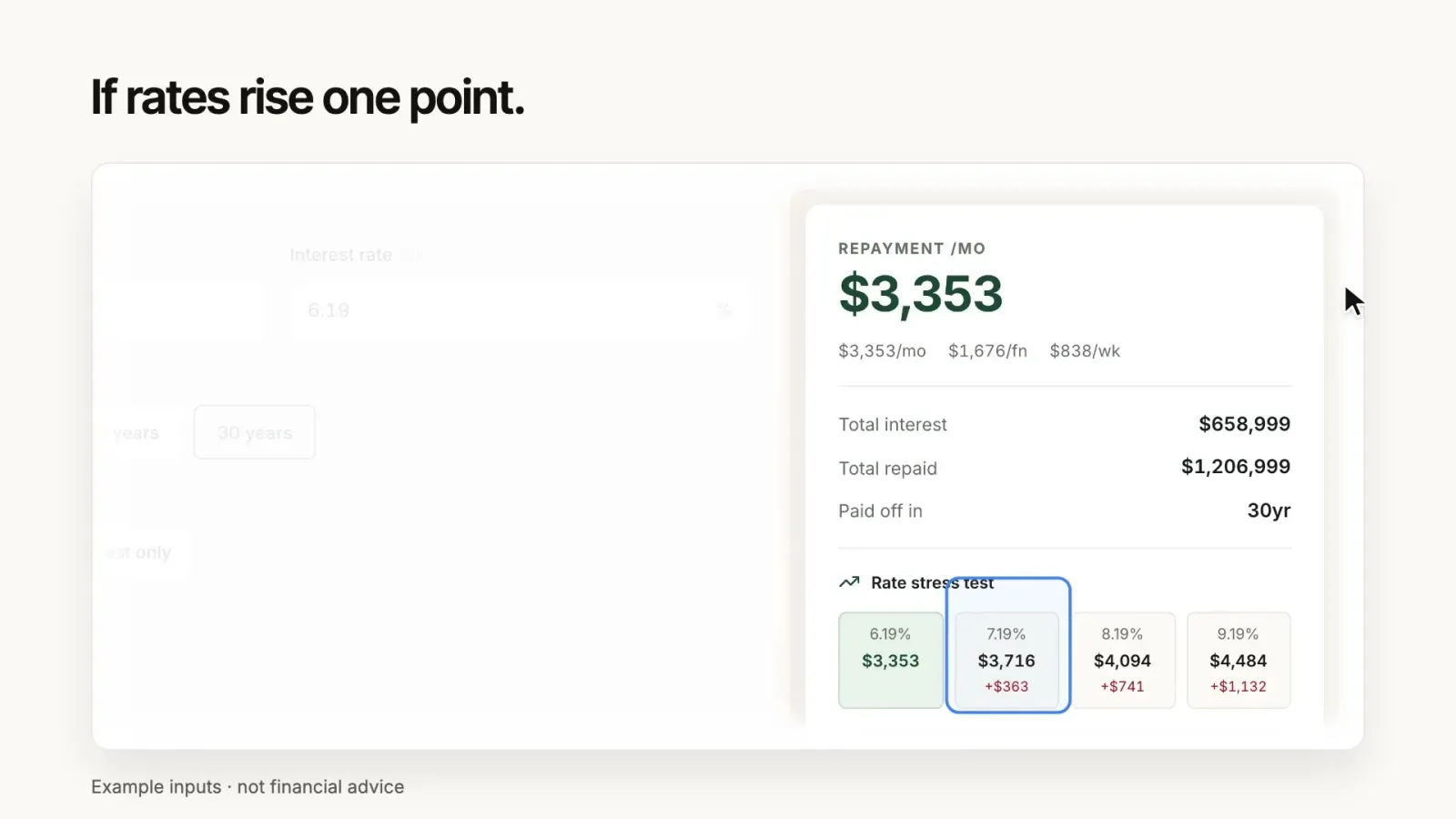
The 2026 tax rules, for each client.
The 2026 negative gearing and capital gains tax changes are law and apply from 1 July 2027. Show a client what the new rules mean for their properties, the old rules against the new.
Check a propertyWho keeps negative gearing from 1 July 2027
Your clients follow every step.
Each client sees their purchase move through the same stages your team works in, in their own Presm portal.
The stages a client follows
- Onboarding
- Strategy Session
- Property Search
- Offer & Negotiation
- Contracts Signed
- Unconditional Exchange
- Property Manager Handover
- Settlement
- 6 Month Portfolio Review
Questions agencies ask
About joining Presm as a buyers agency.
What does an agency get in Presm?
Your team gets a deal page for every property you present, a brief for every client, the Chrome extension that saves listings into Presm, Contract Review, Suburb Insights with the side by side agent view, every Presm calculator and the 2026 tax rules in the Tax Reform Lens. Each client follows their purchase in their own portal.
How do I request an invite?
Press Request an invite. It opens an email to support@presm.com: tell us your agency's name, city and team size, and we reply.
What does it cost?
Good pricing for agencies is our commitment. We share the pricing with you directly.
What support do agencies get?
Support 24/7: help for your team whenever it needs it, day or night, is our commitment to every agency.
How is my clients' data handled?
Under Presm's Privacy Policy, which sets out what is collected, how it is used and how it is kept. Read the Privacy Policy.
Do my clients see Presm?
Yes. Each client follows their purchase step by step in their own portal, reads the properties you present on their deal pages and approves an offer there.
Be one of the first agencies on Presm.
Good pricing for agencies and 24/7 support, our commitments.